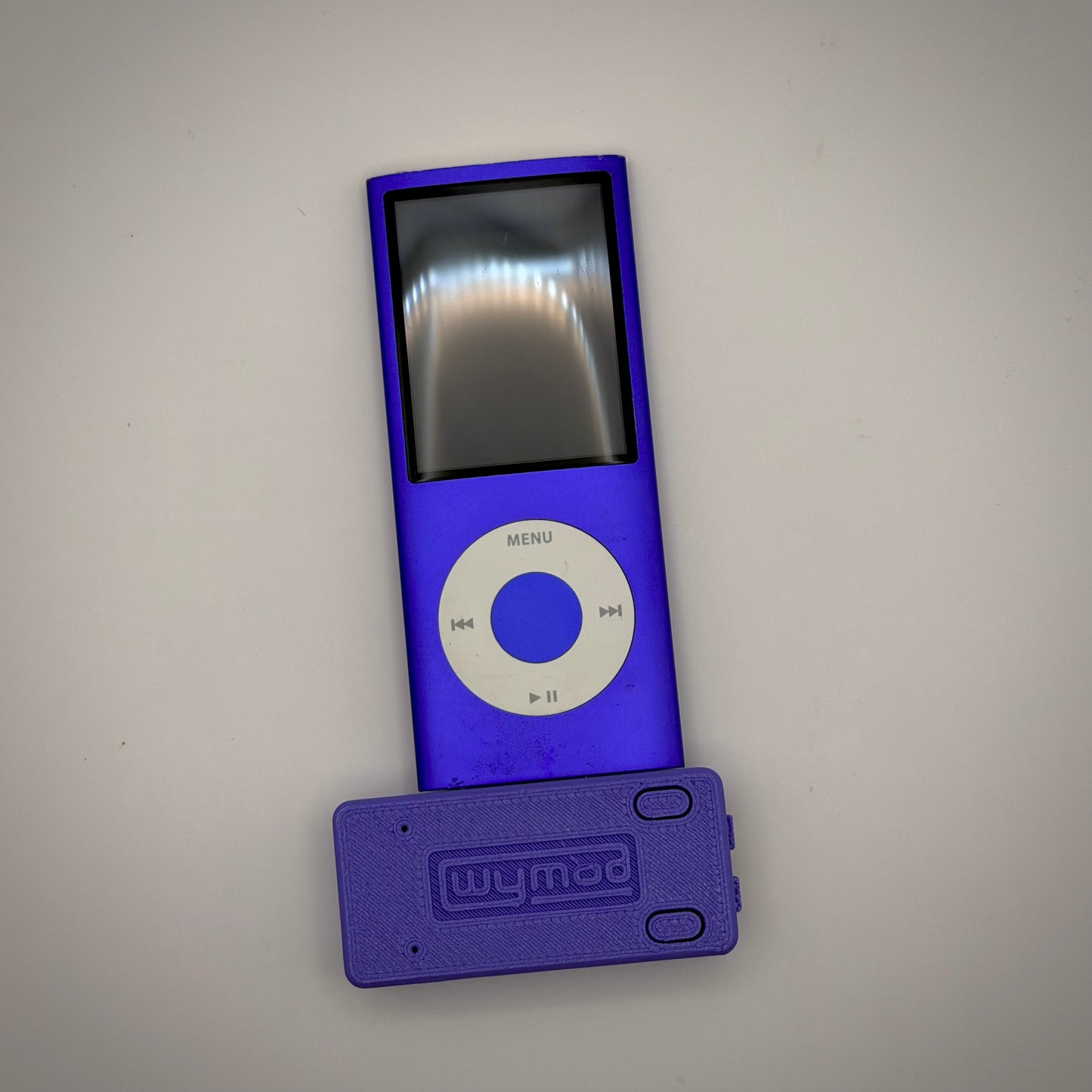
WyMod AeroStream V2
WyMod AeroStream V2
Couldn't load pickup availability
Currently out of stock, please visit EOE.works for available inventory. More units are available in 1-3 weeks. Thank you for your patience.
Introducing the WyMod AeroStream V2! The pinnacle of adapters from WyMod Labs. The WyMod AeroStream takes advantage of our culminated 30 pin knowledge to bring you the best ever Bluetooth based 30 pin adapter with built in USB-C adaption, FireWire charging support, line out, and on board volume adjustment control! The WyMod AeroStream is powered by the ESP32-A1S. This transmitter has been custom programmed by us for you.
Instead of building this experience around a generic Bluetooth Transmitter, we built the Bluetooth Transmitter around the experience. With a custom programmed Bluetooth Transmitter, every feature is designed to complement a Bluetooth listening experience. So what are these features?
- Bluetooth
- Full AirPod Support
- Audio Command Support (play, pause, skip support)
- Last Paired Device Memory
- Simple Device Pairing Process
- USB-C Conversion
- USB-C to FireWire Charging Conversion
- Volume Buttons (Synced to headphone volume)
- Line Out
- Line Out Detect
- Bluetooth On/Off Switch
- Better Range
- Lower Latency
- Dynamic Bluetooth Status LED
- FireWire Charging Indicator LED
We designed the entire Bluetooth experience around iPod users, and to get started with the WyMod AeroStream, simply turn on Bluetooth mode.
The Dynamic Bluetooth LED will then light up which indicates your AeroStream is ready to connect to your speaker. Put your speaker in pairing mode, and leave it close to your AeroStream. Within seconds, the AeroStream will see your device and connect, after that, the AeroStream remembers that device and will always try to pair to it on startup.
Use your audio controls on your headphones or speaker to then control your iPod. The AeroStream translates these signals to the proper format for your iPod. Play to play music, skip to skip tracks, it’s that simple.
If you’d like to adjust the volume, either do so directly on your headphones or from the AeroStream volume buttons. The iPod sends out an analog Line Out signal only, without going through the internal amp, so adjusting volume via the clickwheel is impossible without proprietary software.
Speaking of the volume buttons, if you’d ever need to pair your AeroStream to a different Bluetooth device, the AeroStream has made that simple too. Holding both volume buttons down at the same for 3 seconds will reset your AeroStream and it will automatically start searching for a new device to pair to.
You can also use the AeroStream to get the cleanest audio signal out of your iPod, analog line out. Taking the direct analog signal from the 30 pin port, the AeroStream is able to supply you richer audio that is not passed through the iPod on-board headphone amp. Either enjoy by using IEMs or connect to an external amp. If Bluetooth is on when you plug into the line out, your music will automatically start playing, and it will be paused if the AeroStream detects your headphones are removed. Important to note, the volume buttons do not affect the line out signal, so it’s recommended you use IEMs with a volume dial.
FAQ:
Q: Does it support AirPods, AirPods Pro and AirPods Max?
A: Yes! The WyMod AeroStream supports all these devices flawlessly with every feature.
Q: Does it connect to cars?
A: Depending on your car’s head unit. Search your manual to see if the head unit supports “Secure Simple Pairing” (SSP). If it does, then the AeroStream will connect. Some newer cars such as the 2022 Toyota Corolla support this feature, however, you may lose out on features like Bluetooth Audio Control Commands.
The WyMod AeroStream supports many Bluetooth enabled devices, to access more information, see FAQ.
The WyMod AeroStream adapts the 30 Pin charging port for supported iPods, iPhones, and iPads to USB-C. This allows for USB charging and data transfer! It also includes FireWire charging for supported devices. This forces your device to charge at its maximum speed, ensuring faster overall charging speeds than using USB. It also features Line Out, taking the direct analog signal from the 30 pin port, to supply you richer audio that is not passed through the iPod on-board headphone amp; and with the addition of volume buttons, you can adjust BT volume directly from the AeroStream.
No special power supplies or cords needed. The WyMod AeroStream allows you to seamlessly switch between either FireWire Charging or USB mode using a simple switch!
Technical and Compatibility Information
The WyMod AeroStream powers its internal components directly from the iPod. Thus, battery drain may be noticed. It is suggested you use the Bluetooth features with a new battery, preferably a larger capacity. This may be most noticeable on iPod Nanos. The Bluetooth module may produce heat in certain conditions and climates, that is normal. It is not suggested you leave the AeroStream V2 in hot climates (above 85°F) for extended periods of time, otherwise you may notice case plastics warping. Since iPods were designed slightly differently through their run cycle, some iPods will not support the Bluetooth functions of the AeroStream natively. Here is a comprehensive list:
iPod 3rd Gen: Tested, supports Bluetooth with RockBox ONLY.
iPod 4th Gen/iPod Photo: Tested, supports Bluetooth with RockBox ONLY.
iPod 5/5.5th Gen: Tested, supports Bluetooth with RockBox ONLY.
iPod 6-7th Gen: Tested, supports Bluetooth with StockOS and RockBox (Best compatible device)
iPod Mini 1-2nd Gen: Tested, supports Bluetooth with RockBox ONLY. Bluetooth Audio commands may not be supported on older versions of RockBox.
iPod Nano 1st Gen: Tested, supports Bluetooth with RockBox ONLY.
iPod Nano 2-6th Gen: Tested, supports Bluetooth with StockOS and Rockbox.
iPod 1-2nd, iPod Nano 7th, and all iPod Shuffle Generations: NOT SUPPORTED DUE TO LACK OF 30 PIN PORT
Not every newer iPod/iPhone is tested working but has a high chance of working. Tested on a iPod Touch 3rd Gen and an iPhone 4s shows promise that every other newer 30 pin device would work as well.
The WyMod AeroStream only supports FireWire on the following tested devices:
iPod: 3rd-7th Gen
iPod Nano: 1st-3rd Gen
iPod Mini: 1st-2nd Gen
Share